
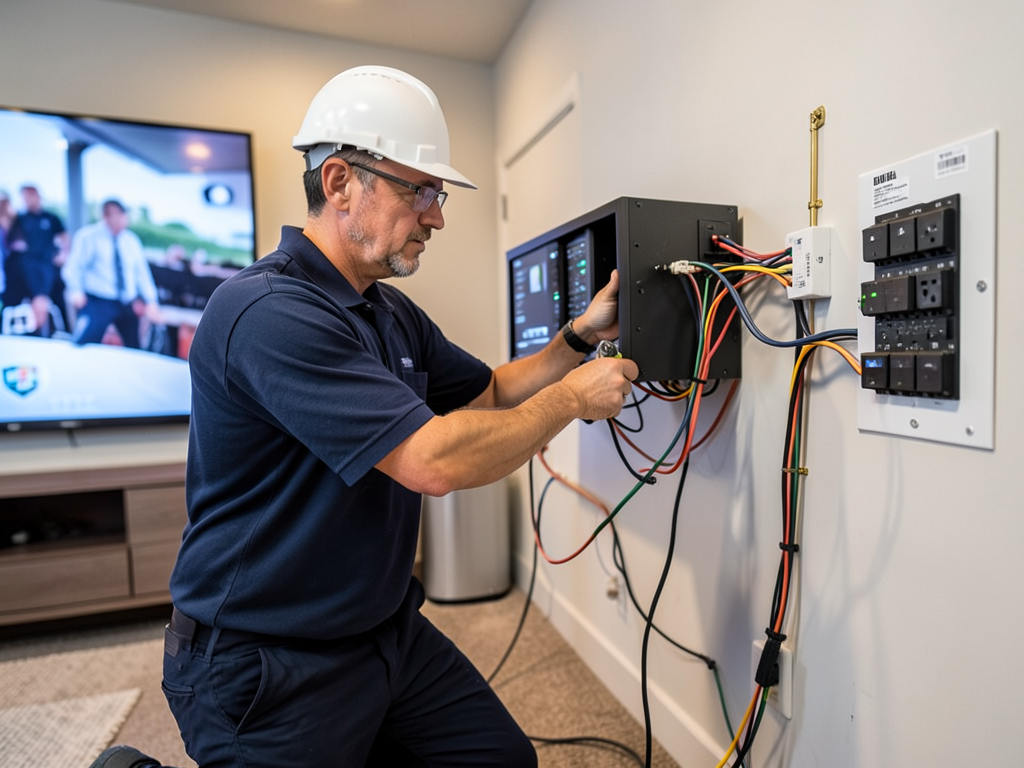
Hidden Electrical Mistakes People Make When Designing a Media Room in Southlake
Building a home theater sounds simple until you realize your dream setup needs more power than your house was designed to deliver. Many Southlake homeowners discover this the hard way when their brand-new 4K projector flickers during the big game or their subwoofer trips the breaker halfway through movie night. The electrical system is the backbone of any media room and cutting corners here leads to frustration, equipment damage, and even safety hazards. Who to Call for Emergency Electrical Repair in Uptown Dallas Tonight.
Southlake homes often feature open floor plans and large entertainment spaces. These designs look great but create unique electrical challenges. The average media room setup now includes a high-end AV receiver, multiple gaming consoles, streaming devices, dedicated lighting zones, motorized shades, and a powerful subwoofer. Each piece demands clean, stable power. Without proper planning, you will face issues like ground loops, voltage drops, and electromagnetic interference that ruin audio and video quality. Electrical Contractor.
Local building codes in Southlake and the greater Dallas area require specific wiring standards for home theaters. These rules exist to prevent fires and ensure equipment longevity. Many DIYers skip these requirements thinking they will save money. They end up paying more to fix problems later. Professional electricians know how to balance load requirements, run dedicated circuits, and install proper grounding systems that keep your gear running smoothly for years. Electricians Balch Springs.
Heat management is another overlooked factor. Media rooms pack electronics into tight spaces. Without proper ventilation and dedicated cooling circuits, components overheat and fail prematurely. This is especially true in Texas where summer temperatures already stress your home’s electrical system. Planning for heat dissipation during the design phase prevents costly replacements down the road.
The most successful media room projects start with a detailed electrical plan. This means calculating total power draw, mapping outlet locations, and planning for future upgrades. Technology evolves quickly. Running extra conduit and installing a slightly larger electrical panel now saves major headaches when you upgrade to 8K projectors or add whole-home audio systems later.
Understanding these common mistakes helps you avoid them. Whether you are working with a builder or planning a retrofit, knowing what to ask for makes a huge difference. The right electrical design transforms your media room from a frustrating space into a reliable entertainment hub that impresses guests and delivers years of trouble-free performance. Finding a Reliable Residential Electrician in Plano for Your Kitchen Remodel.
Common Electrical Planning Mistakes That Cost You Later
Many homeowners focus on the fun parts of media room design like choosing the perfect screen or speakers. They forget that without proper electrical planning, even the best equipment performs poorly. These mistakes happen because people underestimate power requirements or try to save money by reusing existing circuits.
Shared circuits are a prime example. Your living room might have one 15-amp circuit powering everything. Add a 300-watt AV receiver, a 400-watt subwoofer, and a 200-watt soundbar. You are already pushing limits. Throw in LED strip lighting and motorized shades and that circuit trips constantly. Dedicated 20-amp circuits for your main equipment prevent these headaches.. Read more about Specialized Gallery Lighting Installation for Your Design District Loft.
Outlet placement seems simple until you start mounting equipment. Wall-mounted TVs need outlets hidden behind them. Equipment racks need multiple outlets at different heights. Floor outlets in seating areas prevent tripping hazards from extension cords. Poor planning means ugly cords everywhere or worse, overloaded power strips that become fire hazards.
Grounding is another critical area where mistakes happen. Modern AV equipment is sensitive to electrical noise. Without proper grounding, you hear that annoying hum through your speakers. Ground loops form when different pieces of equipment connect through multiple paths. Professional electricians use isolated ground circuits and proper bonding techniques to eliminate these issues.. Read more about Upgrading Your Sunnyvale Home with Modern USB-C Wall Outlets and Charging Hubs.
Future-proofing often gets ignored. Today’s HDMI 2.1 cables might not support tomorrow’s 8K or 12K formats. Running extra conduit during construction costs little but saves thousands later. The same goes for network wiring. Cat6a supports current 4K streaming but might struggle with future 8K or virtual reality applications.
Permitting is another area where people cut corners. Dallas and Southlake require permits for most electrical work. Skipping permits might seem faster but creates problems if you sell your home or need insurance claims. Licensed electricians handle permits as part of their service, ensuring your work meets all local codes.
The cost of fixing these mistakes often exceeds the original savings. A tripped breaker during movie night is annoying. Replacing fried equipment because of power surges costs hundreds or thousands. Taking time to plan electrical needs properly saves money and frustration in the long run.
Why Dedicated Circuits Matter for Your AV Equipment
Audio and video equipment demands clean, stable power. Unlike lamps or phone chargers, AV gear has sensitive digital circuits that react poorly to voltage fluctuations. When your refrigerator compressor kicks on, it causes a brief voltage drop. On a shared circuit, this makes your projector dim or your receiver reset. Dedicated circuits isolate your media equipment from these disturbances.
High-end AV receivers draw significant current, especially during dynamic movie scenes. A 150-watt receiver might spike to 300 watts momentarily. Subwoofers are even worse, drawing hundreds of watts in short bursts. Standard 15-amp circuits cannot handle these peaks reliably. 20-amp dedicated circuits provide the headroom these devices need.. Read more about Smart Mirrors and High-End Tech for Your Trinity Groves Bathroom Remodel.
Heat is another concern. AV equipment generates substantial heat in enclosed spaces. Dedicated circuits often include their own breakers and wiring, reducing resistance and heat buildup. This is crucial in Texas summers when your home’s ambient temperature is already high. Cooler operating temperatures extend equipment life significantly.
Ground loops cause that characteristic 60Hz hum in audio systems. They happen when different pieces of equipment connect through multiple grounding paths. Dedicated circuits with proper grounding techniques eliminate most ground loop issues. This means cleaner sound and no more frustrating audio troubleshooting.
Future expansion is easier with dedicated circuits. Want to add a second subwoofer or upgrade to a more powerful receiver? Extra capacity on your dedicated circuits means you can upgrade without rewiring. This flexibility is invaluable as technology advances and your entertainment needs grow.
Professional installation ensures proper wire sizing and breaker selection. Too small and you risk overheating. Too large and you waste money or violate code. Electricians calculate exact loads and select appropriate components. They also ensure proper labeling so you know which breaker controls which circuit.
The peace of mind dedicated circuits provide is worth the investment. No more worrying about tripped breakers during movie night. No more replacing equipment damaged by power issues. Just reliable, high-quality entertainment whenever you want it. Reliable Commercial Electrical Contractors for Businesses in Downtown Dallas.
Lighting Design That Enhances Without Distracting
Lighting makes or breaks a media room experience. Too bright and you wash out the screen. Too dim and you cannot see to navigate safely. The key is layered lighting with separate controls for different zones. This requires careful electrical planning from the start.
Overhead lighting should use dimmable LED fixtures. Standard LEDs often cause interference with AV equipment. Professional dimmable LEDs designed for home theaters eliminate this problem. They also provide smooth, flicker-free dimming across a wide range of brightness levels.
Wall sconces and step lighting create ambiance without screen glare. These need their own circuits and controls. Motion sensors can automatically turn on pathway lighting when someone enters the room. This prevents stubbed toes without requiring you to find a light switch in the dark.
Task lighting near equipment racks helps with cable management and maintenance. These lights should be independently controlled and positioned to avoid reflecting off screens. LED strip lighting under racks provides good illumination without adding much heat.
Smart lighting integration is increasingly popular. Systems like Lutron or Control4 allow you to create lighting scenes that activate with your media. Press play and the lights automatically dim to your preset level. Pause and they brighten slightly for safety. This requires proper wiring for smart switches and control modules.
Color temperature matters more than most people realize. Cooler light (higher Kelvin) feels more energizing but can create harsh contrast with warm screens. Warmer light (lower Kelvin) feels more relaxing but might make text harder to read on device screens. Professional lighting design balances these factors.
Emergency lighting is often overlooked. If the power fails during a movie, you need safe egress lighting. Battery backup systems can keep critical lights operational for 30-60 minutes. This is both a safety requirement and a convenience feature.
Proper lighting design enhances your media experience while ensuring safety and convenience. It requires coordination between your electrician, interior designer, and AV installer to achieve the perfect balance.
Cable Management That Prevents Future Headaches
Messy cables are not just ugly. They cause signal interference, trap heat, and make maintenance difficult. Professional cable management starts with proper planning and the right materials. It continues with disciplined installation and regular maintenance.
Conduit is your best friend for future-proofing. Running empty conduit during construction costs little but provides enormous flexibility later. A 1.5-inch conduit can hold multiple HDMI, network, and speaker cables. Label both ends clearly and leave a pull string inside for future cable runs.
Wall plates should match your equipment needs. A basic HDMI port might work today but could be insufficient tomorrow. Install wall plates with multiple HDMI, USB, and network ports. Use high-quality, in-wall rated cables that meet fire safety standards. Cheap cables can be fire hazards in wall cavities.
Rack-mounted equipment needs proper power distribution. A rack-mounted power conditioner provides clean power to all devices while protecting against surges. It also centralizes cable management, making it easier to trace problems when they occur.
Wireless solutions reduce cable clutter but introduce their own challenges. Wireless HDMI extends your range but can suffer from interference or latency. Professional installation ensures optimal placement and configuration of wireless transmitters and receivers.
Speaker wiring deserves special attention. Long speaker cable runs lose signal quality. Use the correct gauge wire for your distance and power requirements. Label each speaker wire clearly at both ends. This prevents confusion when troubleshooting or upgrading your system.
Network wiring is critical for streaming and smart home integration. Cat6a cable supports current 4K streaming and provides headroom for future 8K or VR applications. Install network drops at multiple locations in your media room. This provides flexibility for device placement and future upgrades.
Regular cable maintenance prevents problems. Dust and heat degrade cable performance over time. Schedule annual inspections to check connections, replace worn cables, and ensure proper ventilation. This simple step extends equipment life and maintains optimal performance.
Surge Protection and Power Conditioning Explained
Power surges destroy electronics every day. Lightning strikes, utility grid switching, and even large appliances cycling on and off cause voltage spikes. Without protection, these surges travel through your electrical system and fry sensitive AV equipment. Surge protection is not optional for media rooms.
Point-of-use surge protectors are a start but insufficient for whole systems. A power strip with surge protection might guard your receiver but leaves your projector and screen vulnerable. Whole-home surge protection installed at your main panel protects everything in your house from external surges.
Power conditioning goes beyond surge protection. It filters out electrical noise, corrects voltage fluctuations, and provides stable power to your equipment. This is crucial for high-end AV gear that demands clean power for optimal performance. A good power conditioner can make a noticeable difference in audio and video quality.
Battery backup systems provide protection against brownouts and brief power outages. These keep your equipment running during momentary interruptions, preventing the shutdown and restart sequences that can stress digital components. For critical systems like home theaters, even a few minutes of backup power prevents interruptions.
Grounding quality affects surge protection effectiveness. Poor grounding reduces surge protector performance and increases equipment risk. Professional electricians test grounding systems and upgrade them when necessary. This ensures your surge protection works as designed.
Equipment location affects surge risk. Outdoor equipment like projectors or exterior speakers need additional protection from lightning. Indoor equipment near windows might be vulnerable to nearby lightning strikes. Professional assessment identifies these risks and recommends appropriate protection levels.
Maintenance is crucial for surge protection. MOV (Metal Oxide Varistor) components in surge protectors degrade with each surge event. Replace surge protectors every 2-3 years or after major surge events. Many modern units include indicator lights that show protection status.
The cost of surge protection is minimal compared to replacing damaged equipment. A whole-home surge protector costs a few hundred dollars. Replacing a destroyed 4K projector costs thousands. This simple investment protects your entertainment system and provides peace of mind.
Dallas Building Codes and Permit Requirements
Dallas building codes exist to protect homeowners and ensure safe installations. Media room electrical work must comply with the National Electrical Code (NEC) plus local amendments. These requirements cover everything from wire sizing to outlet placement to grounding methods. National Electrical Code requirements.
Permits are required for most electrical work in Dallas. This includes new circuits, panel upgrades, and any work in finished spaces. The permit process ensures your work is inspected and meets safety standards. Skipping permits might seem faster but creates problems if you sell your home or need insurance claims.
Specific requirements for media rooms include dedicated circuits for AV equipment, proper grounding for all outlets, and arc-fault circuit interrupter (AFCI) protection in most areas. AFCI breakers detect dangerous arcing conditions that could cause fires. They are now required in almost all living spaces by current code.
Outlet spacing requirements affect media room design. The NEC requires outlets every 12 feet along walls and within 6 feet of doorways. This prevents dangerous extension cord use. In media rooms, this often means more outlets than you initially think you need.
Smoke and carbon monoxide detectors are required in media rooms. These must be hardwired with battery backup. Interconnected systems ensure all detectors sound when one detects a problem. This provides early warning and increases escape time in emergencies.
Energy efficiency requirements affect lighting choices. The Dallas code now requires high-efficacy lighting in most spaces. This means LED fixtures or other efficient technologies. While this increases upfront costs, it reduces long-term energy consumption and heat generation.
Accessibility requirements might affect outlet and control placement. While media rooms are not public spaces, some accessibility standards apply to new construction. This could include outlet heights and control locations that accommodate users with mobility challenges.
Professional electricians handle permitting as part of their service. They know the current requirements and ensure your installation passes inspection. This saves you time and prevents costly rework if inspectors find code violations.
Understanding these requirements helps you plan properly. It also helps you evaluate contractor proposals. Anyone suggesting shortcuts around codes is putting your home and family at risk. The right way might cost more upfront but provides safety and peace of mind.
Professional Design vs DIY: When to Call an Expert
DIY electrical work seems tempting for simple projects. Changing a light fixture or installing a new outlet might be manageable. Media room electrical design is different. The complexity, safety requirements, and potential for expensive mistakes make professional installation the smart choice.
Load calculations are the first area where DIYers struggle. Calculating total power requirements for modern AV systems requires understanding equipment specifications and electrical codes. Underestimating loads leads to tripped breakers and potential fire hazards. Professionals use detailed calculation methods to ensure safe, reliable operation.
Code compliance is another major challenge. Electrical codes change regularly and vary by location. What worked in your previous home might not meet current Dallas requirements. Licensed electricians stay current with code changes and ensure your installation meets all safety standards.
Equipment compatibility issues plague DIY installations. Modern AV gear has specific power and grounding requirements. Connecting incompatible equipment can cause ground loops, interference, or even equipment damage. Professionals understand these interactions and design systems that work together seamlessly.
Future expansion planning is often overlooked by DIYers. Running one extra conduit or installing a slightly larger panel costs little during initial installation but saves thousands later. Professionals design systems with growth in mind, making future upgrades simple and cost-effective.
Warranty and insurance issues affect DIY work. Many equipment manufacturers require professional installation for warranty coverage. Insurance companies might deny claims for damage caused by DIY electrical work. Licensed electricians provide documentation that protects your warranties and insurance coverage.
Time and frustration are hidden costs of DIY. What seems like a weekend project often becomes weeks of troubleshooting and multiple trips to the hardware store. Professionals complete installations efficiently with proper tools and experience, getting your media room operational faster.
Safety is the ultimate consideration. Electrical work involves shock hazards, fire risks, and potential code violations. Licensed electricians carry insurance and follow safety protocols that protect you and your home. This protection is worth the cost difference between DIY and professional installation.
The right professional brings experience with similar projects. They understand media room specific requirements and can suggest solutions you might not consider. This expertise transforms your media room from a collection of components into a cohesive entertainment system.
Heat Management and Equipment Ventilation
Heat kills electronics faster than anything except physical damage. Media rooms concentrate heat-producing equipment in small spaces. Without proper ventilation, temperatures soar and components fail prematurely. Heat management requires electrical planning from the very beginning.
Equipment racks need dedicated cooling circuits. Small fans might seem sufficient but often cannot handle Texas summer heat combined with equipment heat load. Professional cooling systems use thermostatically controlled fans that activate when temperatures rise. This prevents heat damage while minimizing noise.
Ventilation paths matter as much as cooling equipment. Hot air rises, so exhaust vents should be placed high while intake vents are low. This creates natural convection that helps cooling systems work efficiently. Professional designers calculate required airflow based on equipment heat output.
Equipment spacing affects heat dissipation. Crowding components might look neat but traps heat. Professional installations leave adequate space between devices for air circulation. This might mean larger racks or creative mounting solutions, but the extended equipment life justifies the extra space.
Power management affects heat generation. Inefficient power supplies and poor-quality cables generate excess heat. Professional installations use high-efficiency components and proper cable management to minimize heat sources. This reduces cooling requirements and operating costs.
Environmental monitoring provides early warning of heat problems. Temperature sensors can trigger alarms or automatically adjust cooling systems. Some advanced systems can even shut down equipment if temperatures become dangerous. This protection prevents catastrophic failures.
Room insulation and climate control impact media room temperatures. External walls, windows, and doors affect heat gain. Professional design considers these factors and might recommend additional insulation or specialized climate control for optimal performance.
Maintenance is crucial for cooling systems. Dust accumulation reduces fan efficiency and blocks ventilation paths. Professional installations include accessible filters and easy cleaning procedures. Annual maintenance ensures cooling systems operate at peak efficiency.
The cost of heat damage adds up quickly. Replacing a failed receiver or projector is expensive. Preventing heat damage through proper design and ventilation is much more cost-effective. This investment protects your equipment and ensures reliable entertainment.
Smart Home Integration and Future-Proofing
Smart home technology is evolving rapidly. Today’s media room might need basic lighting control. Tomorrow it could integrate with whole-home audio, security systems, and climate control. Planning for this evolution during initial electrical design saves major headaches later.
Network infrastructure is the backbone of smart home integration. A single wireless router might work today but could become a bottleneck as you add devices. Professional installations include wired network drops throughout the media room. This provides reliable connections for streaming, gaming, and smart device communication.
Control systems require specific wiring. Basic systems use standard wiring for switches and sensors. Advanced systems like Control4 or Crestron need dedicated control wiring and power supplies. Professional electricians understand these requirements and install appropriate infrastructure.
Motorized components add convenience but need electrical planning. Motorized shades, projector lifts, and screen controls all require power and control wiring. Professional installation ensures these components have dedicated circuits and proper control interfaces.
Voice control integration is increasingly popular. Smart speakers and voice assistants need reliable power and network connections. Professional design includes convenient outlet placement and network drops for these devices while minimizing interference with AV equipment.
Security system integration protects your investment. Media rooms often contain expensive equipment that attracts thieves. Professional electricians can integrate security sensors, cameras, and alarm systems into your media room design. This provides protection without compromising aesthetics.
Energy management becomes important as systems grow. Multiple displays, amplifiers, and lighting zones can significantly increase energy consumption. Professional design includes energy monitoring and management capabilities. This helps control operating costs and reduces environmental impact.
Scalability is crucial for future-proofing. Technology standards change rapidly. Running extra conduit and installing oversized electrical panels provides flexibility for future upgrades. This small additional investment during initial construction prevents major rewiring later.
Professional integration ensures all systems work together. Smart home components from different manufacturers often have compatibility issues. Professional installers understand these interactions and design cohesive systems that provide reliable operation.
Cost Factors and Budget Planning
Media room electrical costs vary widely based on complexity and quality. Understanding cost factors helps you budget properly and avoid surprises. While it is tempting to cut costs, electrical work is not an area where corners should be cut.
Basic media room electrical work might cost $1,000-2,000 for simple upgrades like adding outlets and dedicated circuits. This assumes existing infrastructure can support the additional load. More complex projects with new circuits, upgraded panels, and professional lighting design typically range from $3,000-8,000.
High-end installations with advanced lighting, smart home integration, and professional cooling systems can exceed $10,000. These projects require extensive planning, specialized equipment, and professional coordination between multiple trades. The results justify the cost through superior performance and reliability.
Permit costs are often overlooked in budget planning. Dallas permits for electrical work typically cost $50-300 depending on project scope. While this seems like an unnecessary expense, permits ensure your work meets safety standards and prevents problems when selling your home.
Future-proofing adds cost but provides value. Running extra conduit or installing a larger electrical panel might add $500-1,000 to initial costs. This investment saves thousands when you upgrade your system later, making it a smart long-term decision.
Professional design fees vary by project complexity. Simple consultations might cost $200-500. Comprehensive design services for complex installations can exceed $2,000. These fees ensure proper planning and prevent costly mistakes, making them worthwhile investments.
Equipment quality affects both cost and performance. Professional-grade components cost more but provide better reliability and performance. Cheap components might save money initially but often fail prematurely or cause problems that require expensive troubleshooting.
Timeline affects costs significantly. Rush projects often incur premium charges for expedited service. Planning your project during slower periods can reduce costs and ensure better scheduling flexibility with contractors.
Geographic factors influence pricing. Southlake and surrounding areas have different labor rates than other parts of Dallas. Local material costs and availability also affect pricing. Professional electricians familiar with your area can provide accurate estimates based on local conditions.
Understanding these cost factors helps you make informed decisions. While it is tempting to choose the lowest bid, quality electrical work protects your investment in expensive AV equipment. The right balance of cost and quality ensures reliable performance for years to come.
Maintenance and Troubleshooting Guidelines
Even the best electrical installations need maintenance. Regular checks prevent small problems from becoming major issues. Understanding basic maintenance helps you keep your media room running reliably for years.
Visual inspections should be performed quarterly. Check for loose connections, damaged cables, or signs of overheating. Look for discolored outlets, warm switch plates, or unusual odors. These can indicate developing problems that need professional attention.
Cable connections can loosen over time. Vibration from speakers and equipment can cause connections to work loose. Check and tighten connections annually, being careful not to overtighten and damage components. This simple step prevents many common audio and video problems.
Surge protector maintenance is crucial for equipment protection. Replace surge protectors every 2-3 years or after major surge events. Many modern units include indicator lights that show protection status. If the light indicates failed protection, replace the unit immediately.
Cooling system maintenance ensures reliable operation. Clean fan filters monthly and check for dust buildup in ventilation paths. Professional cleaning of equipment racks and cooling systems annually prevents heat-related failures and maintains optimal performance.
Software updates can affect electrical systems. Smart home controllers, lighting systems, and AV equipment often receive firmware updates that change power requirements or compatibility. Stay current with updates but be prepared to call professionals if problems arise after updates.
Grounding systems can degrade over time. Corrosion, loose connections, or physical damage can compromise grounding effectiveness. Professional testing every few years ensures your grounding system continues to provide proper protection for your equipment.
Load monitoring helps prevent circuit overloads. Smart circuit breakers can monitor power consumption and alert you to developing problems. This technology helps you understand your power usage patterns and identify potential issues before they cause problems.
Documentation is valuable for maintenance and troubleshooting. Keep records of circuit layouts, equipment specifications, and maintenance performed. This information helps professionals diagnose problems quickly and ensures consistent service over time.
Professional maintenance agreements provide peace of mind. Many electricians offer annual maintenance services that include inspections, testing, and preventive maintenance. These agreements often include priority service and discounted repair rates, making them worthwhile investments.
Understanding these maintenance requirements helps you protect your investment. Regular maintenance prevents costly repairs and ensures your media room provides reliable entertainment for years to come.
Frequently Asked Questions
How many dedicated circuits do I need for a typical media room?
Most media rooms need 2-4 dedicated 20-amp circuits. One for the main AV equipment, one for lighting, one for accessories like gaming consoles, and possibly one for cooling systems. The exact number depends on your equipment and room size.
Can I use regular outlets for my home theater equipment?
Standard outlets work but are not ideal. Dedicated circuits with proper grounding and surge protection provide cleaner power and better protection. Professional installations often include isolated ground outlets for sensitive AV equipment.
Do I need permits for media room electrical work in Dallas?
Yes, most electrical work requires permits in Dallas. This includes new circuits, panel upgrades, and any work in finished spaces. Licensed electricians handle permitting as part of their service to ensure code compliance.
How much does professional media room electrical installation cost?
Costs range from $1,000-2,000 for basic upgrades to over $10,000 for high-end installations with advanced features. The exact cost depends on project complexity, equipment quality, and local requirements.
What is the biggest mistake people make with media room electrical design?
The biggest mistake is underestimating power requirements and trying to reuse existing circuits. This leads to overloaded circuits, tripped breakers, and potential fire hazards. Proper planning with dedicated circuits prevents these problems.
How often should I replace surge protectors in my media room?
Replace surge protectors every 2-3 years or after major surge events. Many units have indicator lights that show protection status. If the protection light is off, replace the unit immediately to maintain equipment protection.
Can I install media room electrical myself to save money?
Simple tasks like changing outlets might be manageable, but media room electrical design requires professional expertise. The complexity, safety requirements, and potential for expensive mistakes make professional installation the smart choice for most homeowners.
What should I look for when hiring an electrician for my media room?
Look for a licensed electrician with experience in media room installations. Check reviews, ask for references, and ensure they understand AV equipment requirements. Professional electricians should provide detailed proposals and handle all permitting requirements. For more information, visit Oncor Electric Delivery grid information.
You may also find this helpful. Why Your Dimmers Are Buzzing and How to Fix Them (A Guide for The Colony Homeowners).
