
Protecting Your High End Gaming Rig or Creative Workstation from Power Spikes in Richardson
Richardson’s tech-heavy environment and Texas’s volatile power grid create a perfect storm for damaging your expensive gaming rig or creative workstation. Between summer heat waves pushing the ERCOT system to its limits and spring thunderstorms bringing lightning strikes, your high-end PC faces constant electrical threats that cheap power strips simply cannot handle. Who to Call for Emergency Electrical Repair in Uptown Dallas Tonight.
A single voltage spike can instantly destroy your graphics card, motherboard, or storage drives. The cost of replacing a high-end gaming PC often exceeds $3,000 while a comprehensive surge protection system costs a fraction of that. Understanding how Dallas’s unique electrical challenges affect your equipment is the first step toward protecting your investment. Electrical Contractor.
Understanding Dallas Power Grid Vulnerabilities
Richardson sits in the heart of the Dallas-Fort Worth metroplex where electrical infrastructure faces constant stress. The region experiences an average of 50-70 days above 90°F each summer, forcing air conditioners to run continuously and creating massive electrical demand spikes.. Read more about Why Your Garage Conversion in East Dallas Needs More Than Just a Few Extra Outlets.
According to the National Weather Service, North Texas averages 6-8 lightning strikes per square mile annually, with Richardson experiencing above-average thunderstorm activity due to its proximity to both urban heat islands and open prairie areas. These lightning strikes can send power surges through both overhead and underground electrical lines. National Weather Service lightning statistics.
Beyond lightning, Dallas homeowners face several power quality issues:
- Voltage sags when large HVAC units cycle on
- Brownouts during peak summer demand
- Transient voltage spikes from utility switching operations
- Harmonic distortion from modern electronics
Types of Power Protection for Gaming PCs
Standard power strips offer minimal protection against serious electrical threats. They typically use Metal Oxide Varistors (MOVs) that wear out after absorbing just a few large surges. Once compromised, they provide zero protection while still allowing power through.
Professional surge protection falls into three categories based on where they install in your electrical system:
| Type | Location | Protection Level | Best For |
|---|---|---|---|
| Type 1 | Main electrical panel | 100,000+ amps | Whole-home protection |
| Type 2 | Main electrical panel | 40,000-80,000 amps | Comprehensive coverage |
| Type 3 | Point of use | 1,000-6,000 amps | Equipment-specific |
Why Gaming PCs Need Special Protection
Modern gaming PCs contain components extremely sensitive to power fluctuations. A high-end graphics card like an RTX 4090 draws up to 450 watts under load and contains billions of transistors that operate at precise voltages.
Active Power Factor Correction (PFC) power supplies found in gaming PCs require clean, stable power. Unlike older linear power supplies, these modern units can fail catastrophically when exposed to even brief power quality issues.
The most critical protection for gaming PCs is an Uninterruptible Power Supply (UPS) with Pure Sine Wave output. This technology mimics the smooth electrical waveform your PC expects from the wall outlet. Simulated sine wave UPS units can cause problems with Active PFC power supplies, potentially leading to shutdowns or hardware damage.
Whole-Home Surge Protection for Richardson Homes
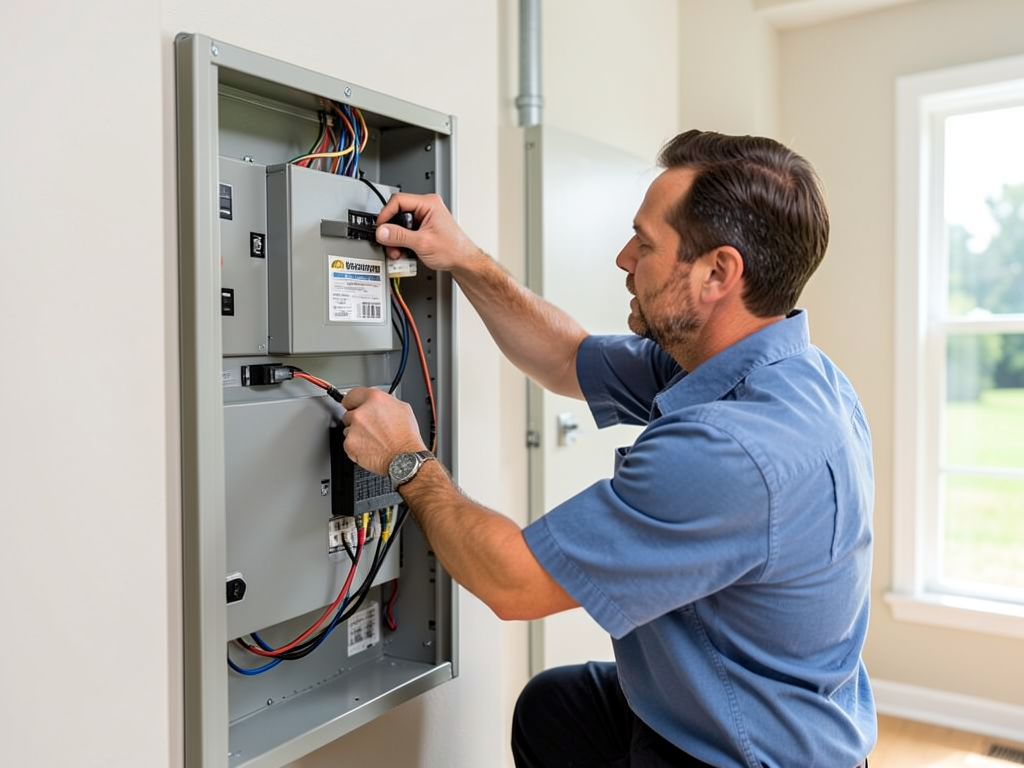
Installing Type 1 or Type 2 surge protection at your main electrical panel provides the first line of defense for your entire home. These devices can absorb massive surges before they reach your sensitive electronics.
Richardson homes built before 2010 often have electrical panels that cannot accommodate modern surge protection devices. Upgrading to a newer panel with built-in surge protection capabilities costs between $1,500-$3,000 but provides protection for your entire electrical system.
The National Electrical Code now requires surge protection for new home construction in Texas, recognizing the growing threat to sensitive electronics. Many Richardson homeowners insurance policies offer premium discounts for professionally installed whole-home surge protection. National Association of Certified Home Inspectors.
Dedicated Circuits for High-End Gaming Setups
A dual-PC streaming setup with multiple monitors, gaming consoles, and audio equipment can draw 15-20 amps continuously. Standard 15-amp circuits can become overloaded, causing breakers to trip during intense gaming sessions.
Installing a dedicated 20-amp circuit for your gaming area eliminates these problems. This isolated circuit ensures your gaming equipment always has clean, stable power without competition from other household devices.
Dedicated circuits also provide better grounding, which is crucial for preventing static discharge and electrical noise that can affect gaming performance. Richardson homes in neighborhoods like Canyon Creek and Prairie Creek often have older wiring that benefits significantly from dedicated circuits.. Read more about Why Your North Texas Home Grounding Might Be Failing (and How to Tell).
UPS Selection for Gaming PCs
Choosing the right UPS involves matching capacity to your system’s power draw. A typical high-end gaming PC with a 1000-watt power supply actually draws 500-600 watts during gaming, plus additional power for monitors and peripherals.
For a gaming PC setup, look for these specifications:
- Pure Sine Wave output (essential for Active PFC power supplies)
- VA rating at least 1.5x your total power draw
- Battery runtime of 5-10 minutes for safe shutdown
- USB connectivity for automatic shutdown software
A 1500VA UPS typically provides 45-60 minutes of runtime for a standard gaming PC, enough time to save work and shut down properly during a power outage.
Grounding and Bonding for Gaming Rooms
Proper grounding prevents static electricity buildup and provides a safe path for electrical faults. Many Richardson homes, especially those built in the 1970s and 1980s, have grounding issues that can affect sensitive electronics.
Testing your home’s grounding resistance should be part of any surge protection installation. Ideal grounding resistance is below 25 ohms, but many older Richardson homes measure 50-100 ohms or higher.
Grounding upgrades may include:
- Installing additional ground rods
- Upgrading main bonding jumpers
- Ensuring proper equipment grounding conductor sizing
Maintenance and Monitoring
Surge protection devices degrade over time, especially in Texas’s harsh climate. MOV-based devices can wear out after absorbing just a few large surges, while even solid-state devices have limited lifespans.
Professional monitoring systems can alert you when protection devices need replacement. Some modern surge protectors include indicator lights that show protection status and alert you when replacement is needed.
Annual electrical inspections should include:
- Testing grounding system integrity
- Checking surge protector status indicators
- Verifying UPS battery health
- Inspecting for loose connections or corrosion
Insurance and Warranty Considerations
Professional installation of whole-home surge protection often comes with equipment protection warranties. Some manufacturers offer up to $50,000 in connected equipment coverage if their devices fail to protect your electronics.
Your homeowner’s insurance may require professional installation for surge protection to qualify for equipment damage coverage. DIY installations or plug-in strips typically void these warranties.
Keep documentation of all surge protection installations and maintenance. This paperwork proves you took reasonable steps to protect your equipment if you need to file an insurance claim.
Cost vs. Protection Value
Comparing the cost of protection to potential losses shows the value clearly:
| Protection Level | Initial Cost | Annual Maintenance | Equipment Coverage |
|---|---|---|---|
| Basic Power Strip | $25-50 | $0 | $0 |
| Professional Surge Protector | $300-800 | $50-100 | $5,000-25,000 |
| Whole-Home System | $1,500-3,000 | $100-200 | $50,000+ |
Even the most comprehensive protection system costs less than replacing a single high-end graphics card. For gamers with multiple PCs or content creators with expensive workstations, whole-home protection provides the best value.
Local Building Code Requirements
Dallas and surrounding suburbs have adopted the 2020 National Electrical Code with local amendments. Richardson requires permits for most electrical panel work, including surge protector installations.
Local code requirements include:
- Proper labeling of all surge protection devices
- Coordination with utility company for meter socket installations
- Compliance with local grounding requirements
- Permit inspections for all panel modifications
Working with a licensed electrician ensures your installation meets all local requirements and maintains your home’s insurance coverage.
Future-Proofing Your Setup
As gaming PCs become more power-hungry and creative workstations add more components, your surge protection needs will grow. Planning for future expansion prevents costly upgrades later.
Consider these factors when installing protection:
- Leave space in your electrical panel for additional circuits
- Install UPS units with expansion battery ports
- Choose surge protectors with higher capacity than current needs
- Plan for dedicated circuits for future equipment
Richardson’s tech corridor continues to grow, with more residents working from home and building sophisticated gaming and content creation setups. Professional surge protection becomes more valuable as your equipment investment grows.
Professional Installation vs. DIY
Installing surge protection in your main electrical panel requires working with live electrical components. This work should only be performed by licensed electricians who understand local codes and safety requirements. Electricians Balch Springs.
DIY installations risk:
- Electrical shock or electrocution
- Code violations that could void insurance
- Improper grounding that reduces protection
- Equipment damage from incorrect installation
Professional installation includes proper permitting, code compliance, and warranty coverage that DIY cannot provide.
Frequently Asked Questions
How often should I replace my surge protection devices?
Most surge protection devices need replacement every 3-5 years, depending on how many surges they absorb. Units with indicator lights show when replacement is needed. Annual professional inspections can identify failing devices before they leave your equipment unprotected.
Will a whole-home surge protector protect against lightning strikes?
Whole-home surge protectors can handle most lightning-induced surges, but direct lightning strikes contain enormous energy that can overwhelm any protection system. For maximum protection, combine whole-home protection with point-of-use UPS units for your most valuable equipment.
Do I need a permit to install surge protection in Richardson?
Yes, Richardson requires permits for most electrical panel modifications, including surge protector installations. Professional electricians handle permitting as part of their service, ensuring your installation meets all local code requirements. Electricians Duncanville.
Can I install a UPS myself?
Plug-in UPS units are safe for DIY installation, but hardwired UPS systems require professional installation. Always follow manufacturer instructions and never work on electrical components while power is connected.
How much does professional surge protection cost?
Costs vary based on your home’s electrical system and protection level needed. Basic whole-home surge protection starts around $300-800 installed, while comprehensive systems with dedicated circuits can cost $2,000-5,000. The investment protects equipment worth much more.

Protect Your Investment Today
Your high-end gaming rig or creative workstation represents a significant investment that deserves professional protection. Richardson’s electrical environment creates constant threats to your expensive equipment, but proper surge protection provides peace of mind and prevents costly damage.
Don’t wait for a power surge to destroy your gaming PC or creative workstation. Professional surge protection installation typically takes just a few hours but provides years of reliable protection for all your sensitive electronics. Finding a Reliable Residential Electrician in Plano for Your Kitchen Remodel.
Call Apex Electricians Dallas today at (972) 823-5855 to schedule a comprehensive electrical safety assessment. Our licensed electricians will evaluate your home’s electrical system, recommend appropriate surge protection solutions, and ensure your gaming setup receives the protection it deserves.
Protect your equipment. Protect your investment. Call us now for professional surge protection installation in Richardson and surrounding Dallas suburbs.
