
Upgrading Your Kitchen and Bedroom with USB Wall Outlets in Lewisville
Modern life runs on USB. Phones tablets and laptops all need charging throughout the day. Standard wall outlets just don’t cut it anymore. USB wall outlets solve this by combining traditional AC power with built-in USB ports right in your wall. This upgrade works perfectly in high-traffic areas like kitchens and bedrooms where you’re constantly charging devices.. Read more about Upgrading Your Sunnyvale Home with Modern USB-C Wall Outlets and Charging Hubs.
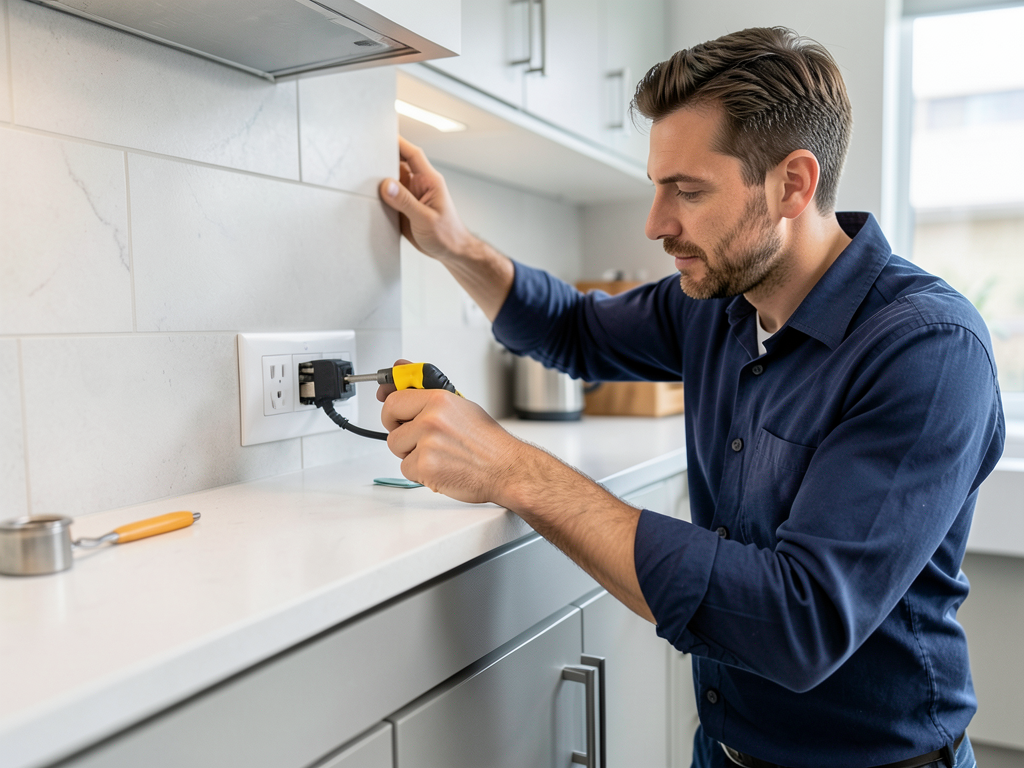
Why Lewisville Homes Need USB Outlet Upgrades
Lewisville’s mix of older ranch homes and newer suburban builds means many properties still have outdated electrical setups. Kitchen counters become cluttered with charging bricks. Bedroom nightstands have tangled cords everywhere. USB outlets eliminate this mess by putting fast charging right where you need it. Electrical Contractor.
The Texas heat means more indoor time and more device usage. During summer storms when power flickers having your devices charged and ready becomes even more important. Plus newer USB-C Power Delivery outlets can charge laptops and tablets much faster than old USB-A ports.
USB-A vs USB-C Power Delivery: What’s the Difference
USB-A ports are the standard rectangular slots you’ve used for years. They typically provide 2.4 amps of charging power. USB-C with Power Delivery (PD) is the newer oval-shaped port that can deliver up to 100 watts. This means it can charge a MacBook Pro or other power-hungry devices in a fraction of the time.
For kitchens USB-C PD outlets make sense near coffee stations or kitchen offices. For bedrooms USB-A might be enough for phones and tablets. Many homeowners install combo outlets with both types to cover all devices.
Safety Considerations for Lewisville Installations
Lewisville follows National Electrical Code requirements plus local amendments. Kitchens need GFCI protection for any outlet within 6 feet of water sources. Bedrooms typically need AFCI protection to prevent arc faults. These safety features prevent shocks and electrical fires.
Older Lewisville homes especially those built before 2000 might have aluminum wiring or ungrounded systems. These require special handling when installing new outlets. A licensed electrician will check your existing wiring before installation to ensure compatibility.. Read more about Wiring a Professional Grade Coffee Bar in Your Knox-Henderson Kitchen.
Installation Process and Timeline
Replacing a standard outlet with a USB outlet takes about 30-45 minutes per location. The electrician will first shut off power at the breaker. They’ll remove the old outlet and check the wiring condition. If everything looks good they’ll install the new USB outlet and test it.
For homes in areas like Castle Hills Carrollton Flower Mound and Coppell the process is straightforward. However if your home has older wiring or if you’re adding outlets where none existed before the job might take longer.
Cost Factors for USB Outlet Installation
Several factors affect installation costs. Basic USB-A outlets cost less than USB-C PD models. Installation in existing walls is cheaper than running new wiring. Your home’s wiring age and condition also matters. Older homes might need wiring updates before USB outlets can be safely installed.
Most Lewisville homeowners find USB outlets pay for themselves in convenience within a few months. No more buying separate charging bricks. No more hunting for available outlets. Everything charges right where you need it.
Popular Locations for USB Outlets
Kitchens benefit most from USB outlets near coffee makers or kitchen desks. Bedrooms work well with outlets on nightstands or dressers. Home offices can use USB outlets to keep multiple devices charged. Even garages and workshops are finding uses for USB charging.
For Lewisville’s many multi-generational homes USB outlets help everyone stay connected. Kids can charge game controllers. Parents can keep phones ready. Grandparents can power medical devices or tablets.
Understanding Amperage and Charging Speeds
Not all USB outlets charge at the same speed. Basic models provide 2.4 amps total shared across all ports. Better models offer 4.8 amps or more. Some high-end USB-C PD outlets deliver 30 watts or more per port.
Fast charging matters when you’re rushing out the door or need a quick battery boost before a video call. The right outlet depends on your device types and charging needs.
Building Code Compliance in Lewisville
Lewisville follows the latest National Electrical Code with local amendments. All electrical work must be performed by licensed electricians. Permits are required for new outlet installations in many cases. The city inspects completed work to ensure safety compliance. Electricians Balch Springs.
Special requirements apply to certain areas. Kitchens need GFCI protection. Bedrooms need AFCI protection. Outdoor installations require weatherproof covers. A professional installer knows all these requirements and ensures your upgrade meets code.
Choosing the Right USB Outlet for Your Needs
Consider your device types first. Mostly phones and tablets? USB-A might be fine. Laptops or newer devices? USB-C PD is worth the upgrade. Think about location too. Kitchen outlets need moisture resistance. Bedroom outlets might benefit from night-light features.
Brand matters for reliability. Look for outlets from established manufacturers with good warranties. Avoid cheap imports that might fail or create safety hazards.
Maintenance and Troubleshooting
USB outlets rarely need maintenance. However if a port stops working check your breaker first. Sometimes a tripped GFCI outlet upstream cuts power to multiple outlets. If problems persist a licensed electrician can diagnose and repair the issue.
Never attempt DIY repairs on electrical outlets. Even if you’re handy with other home projects electrical work carries serious shock and fire risks.
Energy Efficiency Considerations
Modern USB outlets use very little power when not actively charging. Many have smart chips that stop drawing power once your device is fully charged. This prevents wasted electricity and extends device battery life.
Some newer models include energy monitoring features. These let you track charging usage and identify power-hungry devices.
Smart Home Integration
Many USB outlets now work with smart home systems. You can control them remotely, set charging schedules, or integrate them with voice assistants. This adds convenience but also requires compatible wiring and sometimes a neutral wire.
For Lewisville’s growing smart home market these features are becoming more popular. They let you automate charging or create custom scenes like “goodnight” that turns off all bedroom USB outlets.
Common Installation Mistakes to Avoid
The biggest mistake is choosing outlets without enough amperage for your needs. Another is installing outlets in locations that violate code requirements. Some homeowners try to save money by using unlicensed installers, but this often leads to safety issues and code violations.. Read more about Choosing Between Decora and Standard Switches for Your Lakewood Home Refresh.
Always hire licensed professionals who understand local requirements. The few dollars saved with DIY or unlicensed work isn’t worth the safety risks.
Future-Proofing Your Home
USB technology keeps evolving. While USB-C PD is current standard USB4 and other advancements are coming. Choose outlets with replaceable modules or upgradable designs when possible. This protects your investment as technology changes.
Also consider installing more outlets than you currently need. As device counts increase having extra charging locations prevents future clutter.
Comparing USB Outlet Options
| Outlet Type | Ports | Total Amps | Fast Charging | Best For |
|---|---|---|---|---|
| Basic USB-A | 2 USB-A | 2.4A | No | Phones tablets |
| USB-A + USB-C | 2 USB-A 1 USB-C | 3.6A | Partial | Mixed device households |
| USB-C PD | 2 USB-C | 4.8A+ | Yes | Laptops tablets |
| Smart USB | 2 USB-A 1 USB-C | 4.8A | Yes | Smart home integration |
Installation Timeline by Project Type
| Project Type | Duration | Complexity | Cost Range |
|---|---|---|---|
| Replace existing outlet | 30-45 minutes | Low | $150-250 |
| Add new outlet | 1-2 hours | Medium | $250-400 |
| Multiple outlets | 2-4 hours | Medium | $400-800 |
| Smart home integration | 3-6 hours | High | $600-1500 |
Frequently Asked Questions
Can I install USB outlets myself?
No. Electrical work requires a licensed electrician in Texas. DIY installation creates serious safety risks including shock fire and code violations.
Will USB outlets work with my devices?
Yes. USB outlets work with any device that charges via USB cable. This includes iPhones Androids tablets e-readers and most modern electronics.
How long do USB outlets last?
Quality USB outlets typically last 10-15 years or more. The USB technology may become outdated before the outlet fails mechanically.
Do USB outlets use power when nothing’s plugged in?
Modern USB outlets use minimal standby power. Many have smart chips that cut power completely when not in use.
Can USB outlets be installed outdoors?
Yes but they need special weatherproof covers and GFCI protection. Outdoor installations cost more due to these additional requirements.
What if my home has old wiring?
Older wiring might need updates before USB outlets can be safely installed. A licensed electrician will inspect your system and recommend any necessary upgrades.
Are USB outlets worth the cost?
For most homeowners yes. The convenience of built-in charging eliminates clutter and provides reliable power where you need it most. Reliable Commercial Electrical Contractors for Businesses in Downtown Dallas.
Ready to Upgrade Your Lewisville Home
USB wall outlets transform how you power your devices. They eliminate cord clutter provide fast charging and add modern convenience to your kitchen and bedroom. With proper installation they’re safe reliable and code-compliant.
Don’t let outdated outlets slow you down. Whether you’re in Castle Hills Carrollton Flower Mound Coppell or anywhere in between professional USB outlet installation makes your home more functional and future-ready.
Call Apex Electricians Dallas today at (972) 823-5855 to schedule your USB outlet installation. Our licensed electricians serve Lewisville and all surrounding areas with prompt professional service. Upgrade your home’s charging capabilities and enjoy the convenience of modern USB power right where you need it. Electricians Duncanville.
Need emergency electrical help? Click here for 24/7 service in Dallas.
Learn about our ceiling fan installation services in Lake Highlands.
Planning a kitchen remodel? Find a reliable electrician in Plano.
You may also find this helpful. Keeping Your Kids Safe with Tamper Resistant Outlets in Little Elm.
